2026.08.09
Accessibility and Mouse Support
At long last, I have playtesters outside of the three people who have access to Found’s codebase. The first feedback? Playing with the keyboard sucks.
Which is exactly why I’d invested in a controller early on. I’m one-hundred-percent a console gamer. When I use a computer, it’s for work, and even then it’s with a Wacom and trackpad. So I pulled out an old Magic Mouse, still packed from our last move, and got to building.
Steady Camera, Steady Stomach
The first thing I was worried about was a pure mapping of camera to mouse. I’d carefully tuned the game’s camera to be played with a controller, down to the considered combination of tilt and field-of-view mapped to the thumbstick’s y-axis. Under a mouse, where motion arrives in fast, literal flicks, the early worry was that the paired motion would make certain players seasick.
I considered on a number of solutions. Panning with the mouse, but using the keyboard for pitch. Or mapping tilt and zoom to the mouse wheel rather than the y-movement. In the end, I kept it consistent with many other games, carefully throttling the mouse movement so a fast flick wouldn’t whip the whole rig. I brought in easing at the edges so the camera settles instead of slamming to a hard stop at the end of a motion. A player with a steady stomach might not notice the difference, but that’s the beautiful thing about accessibility. It makes play better for everyone.
Hand Cramps
Most of the battles weren’t with the camera. They were with the input. Keyboard input mapping to actions was one of the first things I’d developed, and, while it made sense early on when the input and actions were few, it had failed to scale with the game. I could make it work, but not without the configurations my hand had to stretch into becoming a game of their own.
The mouse only highlighted the game of Twister I was forcing my players’ right hands into, as they needed to attack, interact, jump, run, and manipulate the camera (on the arrow keys). Sure, players could customize their input, but adding mouse support gave me the opportunity to improve the defaults to make more sense for everyone’s hands.
One Click, Two Click
Then came the Magic Mouse with its single physical surface pretending to be two buttons. The standard I’d chosen to adopt was right-click-to-target, left-click-to-fire. But with a Magic Mouse, you cannot hold right-click and press left-click at the same time, because there’s only one thing there to press. Possibly the most common interaction in the game was rendered impossible.
The fix was to make lock-on a toggle instead of a hold, exposing it as a setting. While this started as a frustrating hardware workaround, I realized later that this was a key accessibility feature. Pressing and holding for extended periods of time is a motor constraint as often as it’s a hardware one. The Magic Mouse highlighted a whole category of players I’d never designed for, and the fix made the game more comfortably playable to a greater number of people.
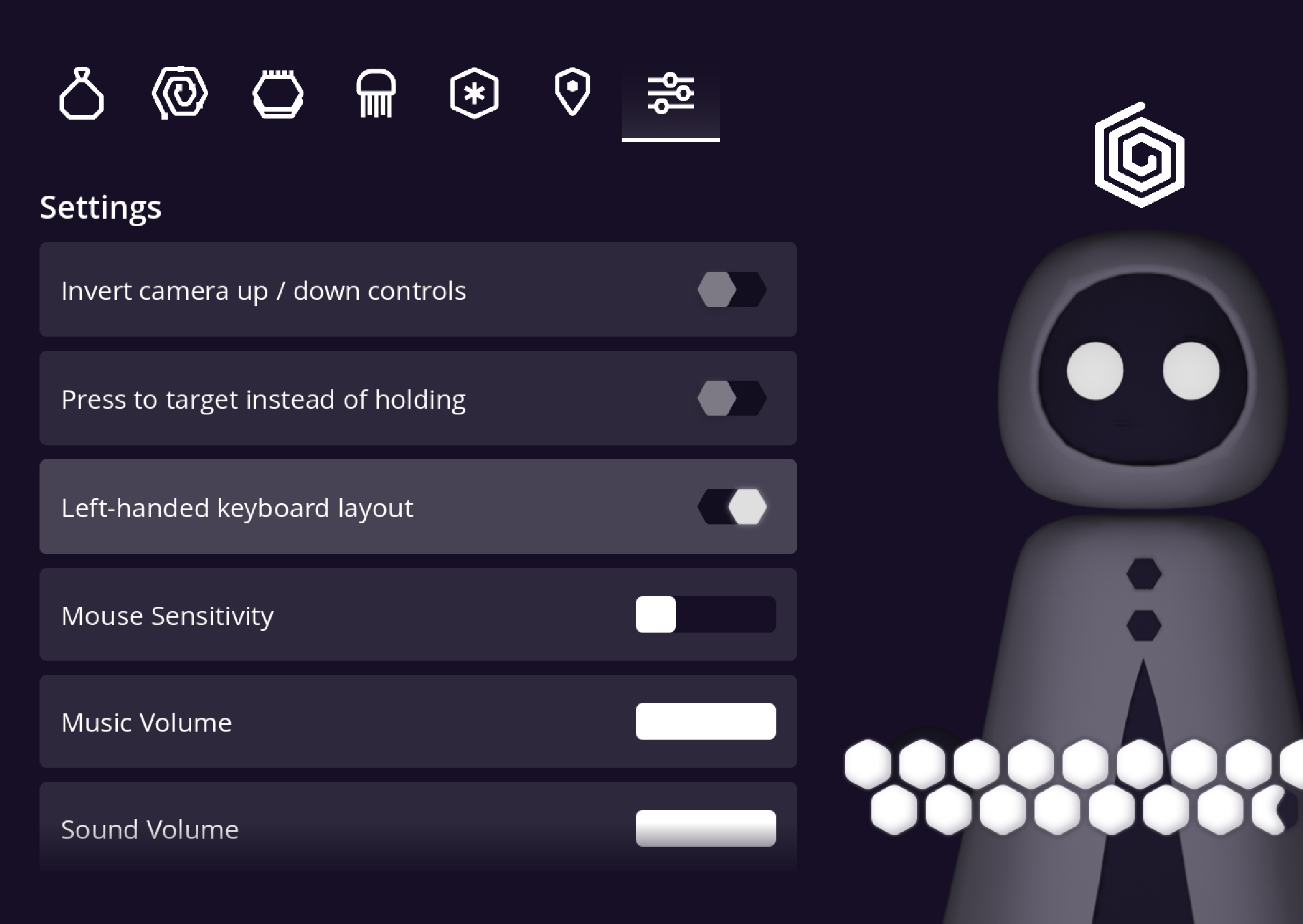
Leftie? Rightie?
Once I’d added mouse support, the obvious next question was around left- and right-handedness. Was my game playable by both? It was not.
Movement was welded to WASD. A left-handed player with the mouse in their left hand would have to manage both the mouse and the movement keys. One solution was simply to make everything remappable, but that felt like a leftie-tax that righties wouldn’t have to pay. So I created a simple layout swap, a one-click setting, to make the layout native for left-handed mouse players. These kinds of mechanisms are my favorite – the kind that show gamers that they’ve been considered rather than outsourcing the work of making the game playable to the player.
Did I get it 100% right? I’m sure I didn’t. But Found is now a lot more playable for all people, including mouse players.